21
Ads in Kids Content: What to Expect and How to Limit Exposure

You hand your kid a tablet to keep them busy while you cook dinner. Ten minutes later, they’re asking for a specific toy you’ve never heard of, mimicking a jingle that’s been looping for thirty seconds straight. It feels less like entertainment and more like a targeted marketing campaign disguised as cartoons. You aren’t imagining it. The digital landscape for children is flooded with ads in kids content, designed by sophisticated algorithms to capture attention before critical thinking skills fully develop.
The challenge isn’t just about screen time; it’s about commercial pressure. Whether it’s YouTube Kids, mobile games, or streaming platforms, the business model often relies on showing products to impressionable minds. But here’s the good news: you have more control than you think. By understanding how these systems work and using the right tools, you can significantly reduce the noise without banning technology entirely.
Why Are There So Many Ads for Children?
It comes down to economics and psychology. Advertisers know that children influence up to 85% of household spending decisions, either directly or by pestering parents relentlessly. This demographic is unique because they lack the ability to distinguish between content and advertising. A cartoon character eating a sugary cereal isn’t seen as an endorsement by a child; it’s just part of the story.
Platforms monetize this vulnerability through two main methods:
- Pre-roll and Mid-roll Video Ads: Short clips that interrupt the video stream. On free tiers of services like YouTube, these are unavoidable unless you pay for a premium subscription.
- In-Game Purchases and Loot Boxes: Mobile games often use psychological triggers (like flashing lights and countdown timers) to encourage microtransactions, even if the base game is "free."
Regulations like the Children’s Online Privacy Protection Act (COPPA) in the US and similar laws globally attempt to limit data collection from users under 13. However, COPPA restricts data tracking, not necessarily the presence of ads. You might see generic ads instead of hyper-targeted ones, but the interruption remains.
The Landscape: Where the Ads Hide
Not all platforms treat children’s content equally. Knowing where the risks are highest helps you prioritize your defenses. Here is a breakdown of common environments and their typical ad exposure levels.
| Platform Type | Ad Frequency | Disruption Level | Parental Control Option |
|---|---|---|---|
| Free YouTube | High | Very High (Interruptions) | Premium Subscription |
| YouTube Kids | Moderate | Moderate (Curated) | Time Limits + Approved Content Only |
| Free Mobile Games | Very High | High (Forced Views) | Ad Removal Purchase |
| Paid Streaming (Netflix/Disney+) | Low/None | Low | N/A (No Ads Tier) |
| Educational Apps (Khan Academy Kids) | None | None | N/A |
Notice the pattern? Free usually equals high friction. If a service doesn’t charge money, it likely charges attention. For younger children (under 6), sticking to non-ad-supported apps like Khan Academy Kids or paid subscriptions is often worth the cost for peace of mind.

Practical Steps to Limit Exposure
You don’t need a degree in IT to clean up your child’s digital feed. Start with the low-hanging fruit.
1. Upgrade to Ad-Free Subscriptions
This is the most effective solution for video consumption. YouTube Premium removes ads across all devices and allows background play. While it costs roughly $14 AUD per month (prices vary by region and plan), consider it a tax-free investment in sanity. For families, the family plan splits the cost across six accounts, making it cheaper per person than buying individual movie tickets.
2. Use Dedicated Kids Platforms
Standard YouTube is a rabbit hole. YouTube Kids offers a curated experience. Even better, you can set it to "Approved Content Only" mode. In this setting, you manually select which channels or videos your child can watch. No search bar means no accidental clicks on weird algorithmic recommendations. Yes, it takes ten minutes to set up initially, but it saves hours of monitoring later.
3. Leverage Device-Level Controls
Both Apple and Android have robust built-in tools.
- iOS Screen Time: Go to Settings > Screen Time > Content & Privacy Restrictions. You can block explicit content and, crucially, disable in-app purchases so your kid can’t accidentally spend $99 on virtual gems.
- Android Family Link: Create a Google Account for your child. Through the Family Link app, you can approve every app download and view weekly reports on which apps consumed the most time.
4. Install Network-Wide Ad Blockers
If you have multiple devices at home, blocking ads at the router level is efficient. Services like NextDNS allow you to create custom profiles. You can assign a specific profile to your child’s tablet that blocks known ad trackers and malicious domains. This works even on apps that try to bypass standard browser blockers.
Talking to Your Kids About Advertising
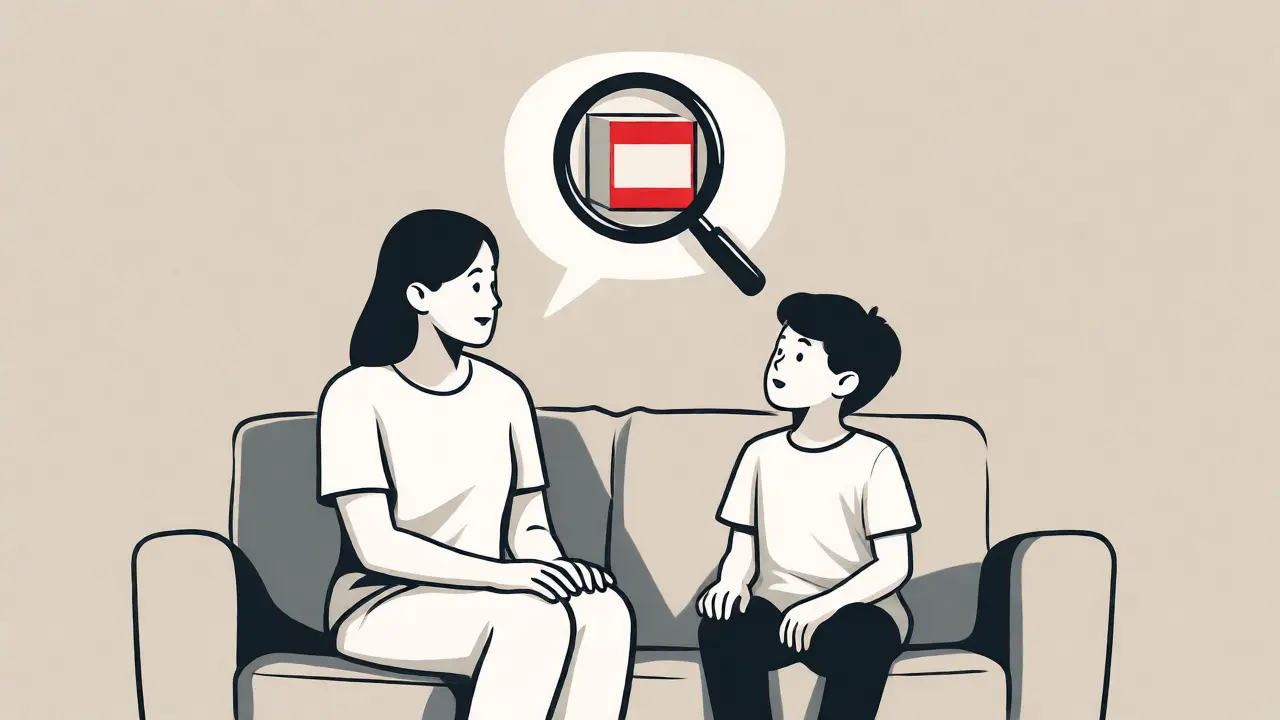
Blocking ads is a band-aid. Teaching media literacy is the cure. When your child asks for a toy after seeing an ad, don’t just say "no." Explain why.
Try this script: "That video wasn’t just a song. Someone paid money to show us that shoe brand. They want us to buy it. Do we actually need new shoes, or did the music make us feel like we needed them?"
For older kids (8+), involve them in the budget. Let them manage a small allowance for in-game purchases. If they blow it all on one skin for their avatar, let them experience the consequence. This turns passive consumption into active financial decision-making.
What to Expect in 2026
The trend is moving toward interactive and immersive ads. With the rise of augmented reality (AR) filters in social apps and games, ads are becoming experiences rather than interruptions. A child might "try on" virtual sneakers in a game before asking for real ones.
Furthermore, voice assistants are entering the chat. Smart speakers now serve audio ads. If your child says, "Alexa, play a cartoon," they might hear a sponsored message first. Be aware that Amazon Echo and similar devices are increasingly monetized. Turning off personalized ads in the Alexa app settings can help, but it won’t eliminate all promotional content.
Key Takeaways
- Free equals ads: If you want zero interruptions, you usually have to pay for a premium tier or choose non-commercial educational apps.
- Curation beats restriction: Using "Approved Content Only" modes is more effective than simply limiting screen time.
- Device settings matter: Disable in-app purchases via iOS Screen Time or Android Family Link to prevent accidental spending.
- Education is key: Teach children to recognize the difference between content and commercials.
Does turning on Restricted Mode remove all ads?
No. Restricted Mode filters out mature content but does not remove advertisements. To remove ads on YouTube, you must subscribe to YouTube Premium or use a reliable third-party ad blocker (though note that YouTube actively fights against some blockers).
Are ads in YouTube Kids different from regular YouTube?
Yes. YouTube Kids serves fewer ads, and they are generally more appropriate for children. Additionally, advertisers cannot target children based on their browsing history due to stricter privacy regulations, meaning the ads are less personalized and sometimes less persuasive.
Can I block ads on smart TVs?
It is difficult to block ads natively on most smart TV operating systems (like Samsung Tizen or LG webOS). Your best bet is to use external streaming devices (like Apple TV or Roku) combined with network-level DNS blocking, or stick to paid ad-free streaming services.
Do ad blockers work on mobile games?
Most mobile games load ads internally, bypassing standard browser blockers. You usually have to purchase an "ad removal" upgrade within the game itself. Some root-enabled Android devices or jailbroken iPhones can use system-wide ad blockers, but this requires technical expertise and may void warranties.
Is COPPA still relevant for my teenager?
COPPA specifically applies to children under 13. Once your child turns 13, they fall under broader privacy laws like GDPR (in Europe) or CCPA (in California), which offer different protections. Teenagers face highly targeted advertising, so teaching them about data privacy becomes more important than simple ad-blocking.