21
Ads in Kids Content: What to Expect and How to Limit Exposure

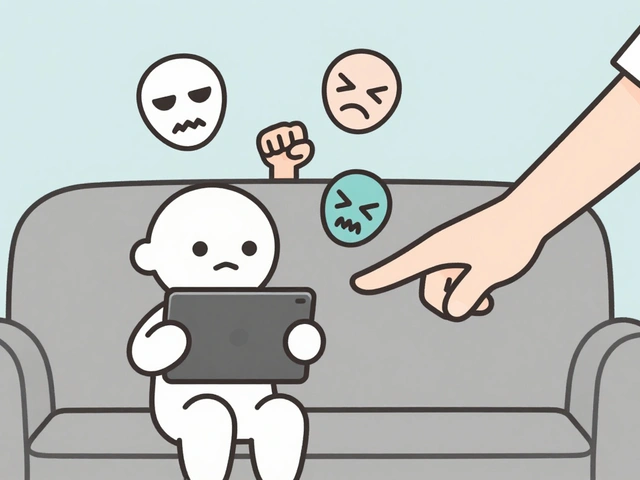
You hand your kid a tablet to keep them busy while you cook dinner. Ten minutes later, they’re watching a video about toy cars, but the narrator isn’t talking about the car anymore-they’re selling a subscription box with a flashing red "Buy Now" button that looks exactly like the play icon. This is the reality of ads in kids content. It’s not just annoying; it’s designed to bypass critical thinking skills that children under eight haven’t fully developed yet.
If you are a parent trying to navigate this digital minefield, you probably have two main questions: Why does it feel like every second of screen time is a sales pitch? And more importantly, how do you actually stop it without banning screens entirely? The answer lies in understanding who is making money from your child’s attention and using the right tools to reclaim control.
Why Are There So Many Ads Targeting Children?
Advertisers love kids for one simple reason: influence. Even if a five-year-old can’t swipe a credit card, they have massive power over household spending. Marketers call this "pester power." When a child sees an ad for a specific cereal or toy, they nag until the parents buy it. Studies suggest that by age six, most children can distinguish between program content and commercials, but they still lack the skepticism to question the claim. They believe the toy will last forever because the ad says so.
This dynamic creates a perfect storm for advertisers. Platforms like YouTube, TikTok, and even free mobile games rely on ad revenue to stay free. Since kids consume hours of video content daily, they become valuable inventory for brands. However, this model clashes with developmental psychology. Young brains process information differently. They don’t filter out irrelevant data the way adults do. If a cartoon character holds up a juice box, the child associates the happiness of the show with the product. This emotional conditioning is powerful, which is why regulations exist to curb it.
The Legal Shield: Understanding COPPA and GDPR-K
You might think tech companies self-regulate out of kindness. They don’t. They regulate themselves because laws force them to. In the United States, the primary law governing this area is the Children's Online Privacy Protection Act (COPPA), enacted in 1998 and significantly updated in 2013. COPPA restricts how websites collect personal information from children under 13. It doesn’t ban all ads, but it bans behavioral advertising based on collected data.
What does this mean for you? If a platform declares its content "Made for Kids," it cannot serve personalized ads. Personalized ads track what you watch, search for, and click to build a profile. On a "Made for Kids" channel, you will see contextual ads instead. These are less creepy but often less relevant. For example, you might see a generic ad for a movie trailer rather than an ad for the specific brand of sneakers your child has been clicking on.
Europe has its own version called the Age Appropriate Design Code, part of the UK’s implementation of GDPR. It mandates that platforms prioritize the best interests of the child. This means default settings must be high-privacy, and nudges toward sharing data must be minimized. While these laws help, they aren’t foolproof. Loopholes exist, especially with influencer marketing where the line between entertainment and advertisement blurs.
Spotting Hidden Ads: Beyond the Banner
Traditional TV commercials are easy to spot. You know when the show stops and the ad starts. Digital ads are sneakier. Here is what you need to look for on your child’s device:
- Pre-roll and Mid-roll Ads: These are the videos that play before or during the main content. On platforms like YouTube, these are usually skippable after five seconds, but young children rarely skip them.
- Influencer Integrations: A YouTuber might say, "This video is sponsored by Brand X," but then spend ten minutes playing a game provided by Brand X. To a child, this feels like their favorite person recommending a product, not an ad.
- Unboxing Videos: These are essentially long-form advertisements disguised as entertainment. The creator opens a package, shows the product, and expresses excitement. There is no explicit "buy now" button, but the intent is clear.
- Game Microtransactions: In free-to-play mobile games, ads often offer rewards. "Watch this ad to get a free life." This trains children to view ads as a currency, normalizing the interruption.
The trickiest category is native advertising within apps. Sometimes, a banner ad mimics the design of the app itself. A button that looks like a menu option might actually launch a web browser with a shopping page. Kids tap it expecting navigation, and suddenly they are in a store.

Practical Tools to Limit Ad Exposure
You cannot delete the internet, but you can curate it. Here is a hierarchy of defenses, from easiest to most robust.
Use Dedicated Kids’ Apps
Platforms like YouTube Kids and Khan Academy Kids are designed specifically to reduce ad clutter. YouTube Kids, for instance, serves fewer ads than the main YouTube app and uses stricter filtering. However, it is not ad-free. You still see commercial breaks. The benefit is curation; the algorithm pushes educational or approved content, reducing the chance of stumbling into low-quality, ad-heavy channels.
Enable Restricted Mode
On standard YouTube, turning on Restricted Mode filters out mature content, but it also tends to limit some ad targeting. It is not a perfect ad blocker, but it reduces exposure to aggressive marketing tactics found in unregulated corners of the web.
Premium Subscriptions
The most effective way to remove ads is to pay for them. Services like YouTube Premium, Disney+, or Netflix (ad-supported tiers excluded) offer ad-free experiences. For a family with multiple devices, the cost adds up, but consider the value. You are buying time and mental clarity for your child. No interruptions means better focus on the story or lesson, not the sales pitch.
Hardware-Level Blocking
If you want total control, look at DNS-level blocking. Tools like OpenDNS Family Shield or NextDNS allow you to block known ad domains across all devices connected to your Wi-Fi. This works for browsers and many apps. It requires a bit of setup-changing router settings-but once done, it protects every tablet, phone, and smart TV in the house automatically.
Comparison of Common Solutions
| Method | Cost | Effectiveness | Best For |
|---|---|---|---|
| Free Apps (e.g., YouTube Kids) | $0 | Moderate | Families wanting free access with some curation |
| Premium Subscriptions | $10-$20/month | High | Families willing to pay for zero interruptions |
| DNS Blockers (NextDNS/OpenDNS) | Free - $5/year | High (for web/apps) | Tech-savvy parents wanting network-wide protection |
| Browser Extensions | Free | Low (mobile limitations) | Desktop-only usage |
| Offline Downloads | Variable | Total | Travel or strict screen-time limits |

Talking to Your Kids About Ads
Blocking ads is a temporary fix. As children grow, they will encounter ads everywhere-at school, on friends' phones, in stores. Teaching media literacy is the long-term solution. Start early. When you see an ad together, ask simple questions:
- "Who paid for this video?"
- "Do you think the toy really works like that, or did they use special effects?"
- "Why do you think they put the bright colors there?"
For older kids, discuss the concept of "free." Explain that if a service is free, they are likely the product being sold to advertisers. This shifts the perspective from passive consumption to active analysis. It empowers them to recognize manipulation rather than feeling helpless against it.
What to Do If You Encounter Problematic Ads
Sometimes, despite your best efforts, a weird or inappropriate ad slips through. Maybe it’s a scammy-looking game ad or a product that seems too mature. Don’t panic. Most platforms allow you to report ads. On YouTube, click the three dots next to the ad and select "Don't recommend channel" or "Report ad." This signals the algorithm to adjust future recommendations.
If you notice a pattern of poor quality ads on a specific app, check the reviews. Other parents may have flagged similar issues. Sometimes, switching to a different provider is easier than fighting a bad ecosystem. Remember, your goal isn’t perfection; it’s reduction. Reducing noise helps children focus on what matters: learning, playing, and connecting.
Are all ads in kids' content illegal?
No. Most ads are legal. Laws like COPPA restrict how data is collected for targeted advertising, not the presence of ads themselves. Contextual ads, which are based on the content being watched rather than user history, are generally permitted on platforms designated for children.
Does YouTube Kids have ads?
Yes, the free version of YouTube Kids displays ads. However, it typically serves fewer ads than the main YouTube app, and the ads are subject to stricter guidelines regarding suitability for children. You can remove these ads entirely by subscribing to YouTube Premium.
How do I turn off ads on my child's tablet?
There is no single switch for all tablets. For Android, you can change DNS settings to block ad domains or install a third-party launcher. For iPads, you can use Screen Time restrictions to limit content ratings, but this does not remove ads within apps. The most reliable method is purchasing premium versions of the apps your child uses most frequently.
What is the difference between targeted and contextual ads?
Targeted ads use your browsing history and personal data to show products you are likely to buy. Contextual ads are shown based on the content you are currently viewing. For example, a cookie ad appearing on a baking video is contextual. COPPA largely prevents targeted ads for children under 13, meaning most ads they see are contextual.
Can I block ads in offline downloaded videos?
Generally, yes. If you download a video for offline viewing on platforms like YouTube or Netflix, pre-roll ads are usually removed or skipped because the connection status changes. However, this varies by app and subscription tier. Always test a few downloads to confirm the behavior on your specific device.