21
Free Streaming on Smart TVs: Samsung TV Plus, LG Channels, and Vizio WatchFree+
Stop Paying for Every Single Channel
Ever feel like you're paying for 200 channels but only watching three? You're not alone. Most of us have a pile of streaming subscriptions that eat away at our monthly budget, yet we still find ourselves scrolling for hours without finding anything to watch. Here is the good news: your TV probably already comes with a built-in way to watch hundreds of shows, movies, and live news without spending a dime. We're talking about free streaming is the practice of accessing ad-supported video content over the internet without a monthly subscription fee. Specifically, the kind called FAST, or Free Ad-Supported Streaming Television.
If you own a modern smart TV, you likely have a service like Samsung TV Plus, LG Channels, or Vizio WatchFree+ pre-installed. These aren't just random apps; they are integrated platforms that mimic the old-school cable experience. You flip through a guide, land on a channel, and start watching. No logins, no credit cards, just a few commercials. Let's look at how these services actually work and which one gives you the best bang for your zero dollars.
The Quick Breakdown: FAST Services at a Glance
| Service | Hardware Requirement | Content Style | User Experience |
|---|---|---|---|
| Samsung TV Plus | Samsung Smart TVs / Mobile | Heavy on News & Lifestyle | Linear Guide centric |
| LG Channels | LG webOS TVs | Diverse Global Content | Integrated into Home Dashboard |
| Vizio WatchFree+ | Vizio SmartCast TVs | Strong Movie/Series Library | Fast channel surfing |
How Samsung TV Plus Changes the Game
Samsung TV Plus is essentially a digital cable provider built right into your Samsung hardware. It doesn't require a separate account because it's tied to your TV's serial number and internet connection. The magic here is the variety. You'll find everything from 24/7 news loops to niche channels that only play one specific show-like a channel dedicated entirely to *Baywatch* or *Kitchen Nightmares*.
For most people, the biggest draw is the accessibility. Since it's integrated into the home screen, you don't have to boot up an app and wait for a loading screen. You just hit the 'Home' button and start browsing. However, keep in mind that the content is heavily determined by your region. A user in New York will see different channels than someone in London, as Samsung partners with local broadcasters to fill their grid.
LG Channels: The Global Contender
If you're using an LG TV, you're likely running webOS, which is the operating system that powers LG Channels. Similar to Samsung, LG Channels uses a linear grid. But where LG often shines is in its integration of global content. They tend to have a very clean interface that feels less like a cluttered cable guide and more like a curated gallery of options.
The experience is designed for the "lean-back" viewer. You know the type-someone who doesn't want to choose a specific movie but just wants something interesting on in the background. LG partners with major networks and independent creators to ensure there's always a live stream running. The only downside? The ads can sometimes feel a bit more intrusive than on other platforms, but that's the price of admission for free content.
Vizio WatchFree+: The Content Powerhouse
Vizio takes a slightly different approach with Vizio WatchFree+. While Samsung and LG focus heavily on the "channel" feel, Vizio often feels more like a library. Their SmartCast platform integrates these free channels directly into the main UI, making it incredibly fast to switch between a live news feed and a full-length movie.
One of the standout features of WatchFree+ is the sheer volume of movie channels. While other services might give you a few curated film categories, Vizio often has dozens of genre-specific channels (like 'Horror 24/7' or 'Action Classics') that make it feel like a movie theater in your living room. It's a great option for people who hate the "decision paralysis" of Netflix and just want to see what's playing right now.
The Hidden Tech: What is FAST Actually?
To understand why your TV is suddenly giving you hundreds of channels for free, you need to know about FAST (Free Ad-Supported Streaming Television). This is a business model where the broadcaster earns money from advertisers rather than subscribers. It's basically the internet's version of broadcast TV from the 1970s.
The tech relies on OTT (Over-the-Top) delivery. Instead of a cable wire coming into your house, the data is streamed via your Wi-Fi. The channels you see are actually "playlists" of video files that loop on a schedule to mimic a live broadcast. This is why you'll see a "Live" tag on the screen, even though the show might have been filmed five years ago.
Common Pitfalls and How to Avoid Them
While free streaming is great, it's not without its quirks. The most common complaint is the "buffering wheel." Because these services rely on your home internet, a weak Wi-Fi signal can turn a great movie into a slideshow. If you're experiencing this, try switching from Wi-Fi to a wired Ethernet connection. It's a small change that makes a massive difference in stream stability.
Another issue is privacy. Since these services are free, the "product" being sold is often your viewing data. The TV tracks what you watch to serve you more relevant ads. If you're concerned about this, check your TV's privacy settings and opt out of "Automatic Content Recognition" (ACR). You might see fewer relevant ads, but your data stays more private.
Which One Should You Choose?
The truth is, you don't really "choose" between these three-your choice is usually decided by the TV you bought. However, if you're in the market for a new set, here's the rule of thumb: go with Samsung if you love a huge variety of lifestyle and news content. Pick LG if you want a sleek, modern interface and global variety. Choose Vizio if you're a movie buff who wants an endless stream of cinema without paying for a premium subscription.
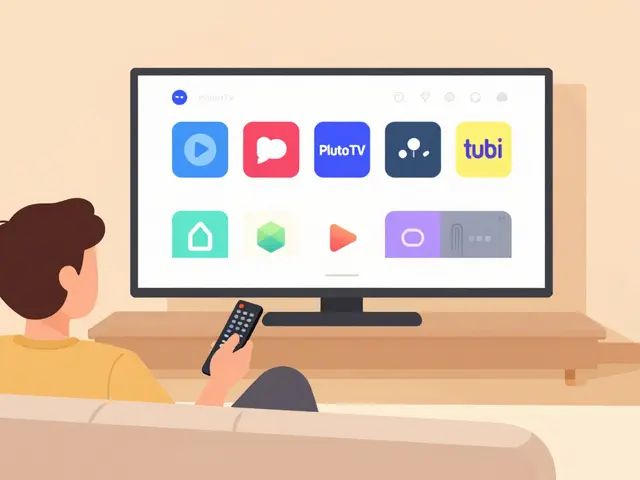
But wait, what if you have a TV that doesn't have these? You can still get the FAST experience. Services like Pluto TV and Tubi offer almost exactly the same experience and can be downloaded as apps on almost any smart TV or streaming stick, regardless of the brand.
Do I need an account to use Samsung TV Plus or LG Channels?
No, you generally do not need to create an account or sign in to use these services. They are built into the hardware of the TV and activate as soon as you connect the device to the internet. This is one of the main appeals of FAST services-instant access without a registration process.
Is free streaming really free, or is there a catch?
It is free in terms of money, but you pay with your time and data. These services are ad-supported, meaning you'll see commercials just like on traditional cable TV. Additionally, these companies collect data on your viewing habits to help advertisers target you more effectively.
Why can't I find some of the channels I saw in a review?
FAST content is highly regional. Because licensing agreements for shows and movies vary by country and state, the channel lineup in the US will be different from the one in the UK or Australia. If you're using a VPN, you might even see the lineup change based on the server location you select.
Can I record shows on Vizio WatchFree+ or LG Channels?
Generally, no. Because these are streaming services and not traditional cable/satellite DVRs, you cannot "record" the live stream. However, many of these platforms offer a "On Demand" section where you can watch full episodes or movies whenever you want, effectively replacing the need for a DVR.
Will these services work if my internet goes down?
No. Unlike a traditional antenna (OTA) setup, these services require a constant internet connection to stream data from the provider's servers. If your Wi-Fi drops, the stream will stop immediately.
Next Steps for Better Viewing
Now that you know where to find the free stuff, here is how to make the most of it. First, spend ten minutes exploring the channel guide. Many of these services hide their best gems (like old cult classic movie channels) deep in the list. Second, check your TV's firmware updates; manufacturers often add new channels and improve the interface stability through software updates.
If you find that your built-in service is too limited, try installing a third-party FAST app like Pluto TV. Since it's not tied to a specific hardware brand, it often has a broader library that can complement whatever your TV already offers. You can essentially build your own "super-cable" package by combining your TV's native channels with two or three free apps.